Moyea DVD4Web Converter Software
5:03 PMThe DVD to flash video tool which can convert DVD to flash video (FLV) file and convert DVD to MP4, MOV, 3GP and 3G2 file with H.264 codec with high audio and video quality. The converted MP4, Mov and 3GP files can be widely uploaded to video share sites like YouTube and cushion playback in web. The generated FLV and MP4 file can easily make a flash video player for any social web sites to transfer any flash video file online or local including FLV, MP4, MOV, 3GP, 3G2, H264 to play.
Adhere to the mission of giving customers the super enjoyment, this DVD to flash video converter has many useful functions meanwhile. A much better output audio and video effects can get by adjusting the video brightness and contrast and audio volume. Any defects on the video image or during the DVD file also can be edited by trimming duration time and cropping video image. The advanced settings including bit rate, frame rate, video size etc. is contained to meet every specific needs. In addition, multiple video files jointing into a large single one makes easily enjoying the videos, movies or music! Moreover, the super speed of conversion and the brilliant quality are really beyond your imagination! Now, start having a Moyea DVD4Web Converter and enjoying a wonderful experience!
Key Features of Moyea DVD4Web Converter
Choose Moyea DVD4Web, you can enjoy the many excellent key features:
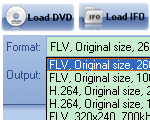
1. Convert DVD to FLV, DVD to MP4, MOV, 3GP, and 3G2 file with H.264 codec
2. The generated FLV, MP4, and MOV file with H.264 codec can cushion playback on website
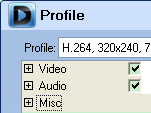
3. Custom video and audio effects
Dang Cong Thanh Trung.
Moyea PPT to DVD Burner Lite Software
5:18 PMMoyea PPT to DVD Burner Lite is an extremely easy to use tool to burn PowerPoint to DVD directly and convert PowerPoint to Video files in any popular formats, such as PowerPoint to AVI, MPEG, FLV, 3GP, MP4, VOB, WMV, MOV, etc. With this Presentation tool, target customers can enjoy the PowerPoint on TV or some other Portable Players with "One slide one chapter" playing mode; then together with the fast conversion speed and excellent output quality, this PowerPoint to DVD and PowerPoint to video converter make the slideshow become the most suitable for video broadcast (upload to YouTube), Portable devices like iPhone, iPod, PSP, Zune, Apple TV, etc., Mobile Phone, and so forth.
Key Features of Moyea PPT to DVD Burner Lite:
- All-in-one tool converts PowerPoint to DVD & PowerPoint to Video formats
- Enable "One Slide One Chapter" for easy operation
- Retain the original music, movie clips, slide transitions, etc.
- No limitation on PPT files and video format outputs
- Delicately designed theme DVD menus to navigate your audience
- Insert any quantities of background music to PowerPoint file
- Flexible output settings for different screen sizes
- Faster PowerPoint to DVD & PowerPoint to Video conversion with clear output
- Support batch process
With Moyea PPT to DVD Burner Lite, people will be satisfied to control the conversion of PowerPoint to DVD & PowerPoint to video with user-friendly interface and with one slide one chapter. These are the amazing highlights of this converter:
1. One Slide One Chapter
In order to extract some unnecessary repeat when viewing PowerPoint on DVD player or Portable devices, this program enables the mode of "One Slide One Chapter". In other words, if there are many animations in a certain slide, the program would automatically retain the first animation in the certain slide for the output. Then with this way, audience can watch the converted DVD or video file much more comfortably.
2. Perfect Synchronization and Fully Retain the original elements
This program realizes the perfect synchronization of sound and animation both in burned DVD and converted video, and offers the solution to the problem of the asynchronization of sound and animation which had remained a hard nut for many years. On the base of perfect audio and video synchronization, this PowerPoint to DVD Burner also can fully retain the original elements including audio files, video & movie clips, transition time, etc. for conversion to the output file.
3. A distinct User Interface with easy run
Unlike Moyea PPT to DVD Burner Pro version, this PPT2DVD Lite version designs a Wizard operation interface, which can give users a feeling of finding something new and fresh. The most significant in this Wizard interface is to let beginners and greeners easily run and enjoy the PowerPoint to DVD or video conversion without complicated program knowledge.
4. Multiple Inputs and Multiple Outputs
This PowerPoint conversion tool support convert all types of PowerPoint file including PPT, PPTX, PPS, POT, etc. Meanwhile, this Presentation tool also allows export multi-types of output files; they are DVD, HD-DVD, and Video file in all fashionable formats like AVI, WMV, MOV, MP4, FLV, MPEG, 3GP, 3G2, DV, etc.
5. Fast Conversion Speed
Under the extremely User-friendly interface and advanced technology, this PowerPoint to video and DVD program can help you create a wonderful DVD and video from your presentation slideshows in a short time.
Dang Cong Thanh Trung.
Moyea PPT to DVD Burner Pro Software
5:23 PMMoyea PPT to DVD Burner Pro is a professional and powerful tool that enables you perfectly Convert PPT to DVD, Convert PPT to video (AVI, MPEG, FLV, 3GP, MP4, VOB, WMV, MOV, etc), retaining the original music, animation, movie clips and transitions. With the help of built-in DVD menu templates, you can design a delicate DVD menu more easily.
Together with its remarkable features of "Record voice as narration" and "One animation one chapter" or "One Slide One Chapter", this PowerPoint to DVD and PowerPoint to video converter make the PowerPoint slideshow become the most ideal for business, training and entertainments. Give us a trial, offer you fully enjoyment!
Key Features of Moyea PPT To DVD Burner Pro:
- Convert PowerPoint to DVD
- Convert PowerPoint to Video formats
- Allow playing PowerPoint with "One animation one chapter"
- Allow playing PowerPoint with "One slide one chapter"
- Record voice as the narrations and instructions for the outputs
- Retain the original music, animation, movie clips, and slide transitions in PowerPoint presentations
- Delicately designed theme DVD menus to navigate your audiences
- No limitation on the PowerPoint files for conversion (Support PowerPoint 2007)
- Insert background music to PPT files
- PowerPoint to DVD batch process supported
- Flexible output settings for different screen sizes
- Perfect synchronization of sound and animation
- Faster PowerPoint to DVD conversion and Clearer output DVD files
With Moyea PPT to DVD Burner Pro, people will be satisfied to control the playback of the PPT presentations on DVD players with a remote control with one animation one chapter or One slide One chapter. These are the fab highlights of this converter:
1. One Animation One Chapter
In order to satisfy the teachers and business men's lecture purposes, this PowerPoint to DVD and PowerPoint to video converter allow the output playback mode of "One animation one chapter". With this technology, the numbers of chapters generated from one slide would accord the numbers of animations in the slide.
2. One Slide One Chapter
In order to extract some unnecessary repeat when viewing PowerPoint on DVD player or Portable devices, this program enables
the mode of "One Slide One Chapter". In other words, if there are many animations in a certain slide, the program would
automatically retain the first animation in the certain slide for the output. Then with this way, audience can watch the converted
DVD or video file much more comfortably.
3. Recordable Narrations and Instructions
Moyea PPT to DVD Burner Pro allows the authors recording their own voice as the narrations and instructions for the output, which makes the PowerPoint become much more suitable for teaching and giving speech.
4. Brand-New User Interface
The newly designed user interface aims to offer an intuitive operation mode. This brand-new appearance is developed to help
make the PPT to DVD and PPT to video conversion and authoring a fun.
5. Customizable DVD Menu for Easier Playback
Moyea PowerPoint to DVD Burner provides a template of DVD menus for convenient authoring during conversion.
6. Auto-mode & Manual-mode Conversion Flexible for you to choose how to playback your converted DVD presentation: auto mode or manual mode? This would be very
helpful if you have to do your presentation within a short time, especially for businessmen.
7. Background Image & Music Function
The PPT to DVD program offers multiple accesses to background music for the generated DVD and video files, including the
human voice, audio track and third-party music, etc.
Who can benefit from converting PowerPoint to DVD or converting PowerPoint to video?
- Teachers and instructors for better instruction and sharing
- Salesmen and business people for better promotion
- Business presenters and speakers to reach wider audience
- Individuals to share their own favorites with families and friends or upload to video share website
What Can Moyea PPT to DVD Burner Do for You?
- Share presentations with DVD Player on TV set for businessmen and instructors
- Distribute PowerPoint presentations more conveniently for companies
- Share PowerPoint slideshow on TV with family or friends for individuals
- View PowerPoint Presentations on Portable devices like iPod, iPhone, Cell Phone, Zune, etc
- Share Presentation with people all over the world via video share website YouTube
Dang Cong Thanh Trung
Powerful SWF to Zune Converter!
8:33 PM
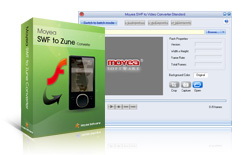
This Zune Video Converter is a economical and powerful tool for converting SWF to video for home use as well as sharing with excellent picture quality and sound quality. For it costs less and has perfect performace for converting swf to Zune video, and ripping SWF to MP3, AAC, M4A, WAV, WMA audio files.
With its user-friendly and graphical interface, Moyea SWF to Zune Converter offers simple and swift solutions to head-ache problems in converting SWF files to Zune video, such as audio distortion, loss of frames, audio and video asynchronization, meanwhile, this program could process embedded or linked FLV in SWF files.
This Zune video converter also allows users to interact with the Flash content during conversion and there is no frame loss in the generated videos. Besides, its Play-and-capture technology allows users to decide the beginning frame and the end frame to capture for conversion to meet their particular needs.
Main Supported Formats
- Convert SWF to Zune video (MP4 and WMV)
- Convert SWF to MP4
- Convert SWF to MP3, WMA, WAV, M4A and AAC audio
- Support codecs of Windows Media 7, 8, 9
- Support ActionScript
- Support recording audio and ripping audio in an independent file
- Perfectly convert embedded Flash videos (FLV) or linked Flash videos (FLV)
- Support batch-mode conversion
- Support converting Flash projector in video
- Perfectly convert complicated Flash files and completely comply with the rule of WYSIWYG with excellent sound quality and picture quality
- Adopt Lower-Playback-Speed technology to achieve accurate audio and video synchronization and no frame loss
- Adopt audio-extracting technology, instead of recording, to 100% keep the original sound effect
- Enable users to set the beginning and ending time for the created video and effectively control conversion process
- FREE TRIAL WITH NO TIME LIMIT
Moyea SWF to 3GP Converter
6:50 PMMoyea SWF to 3GP Converter is a handy utility that can perfectly convert Macromedia SWF to 3GP videos, SWF to 3G2 videos (3GPP/3GPP2) for playback on mobile phones. And it can rip SWF to MP3,AAC audio files and support batch mode conversion. Its manual mode allows capturing interactive Flash for conversion. This 3GP Converter is a economical and powerful tool for converting SWF to video for home use as well as sharing with excellent picture quality and sound quality. For it costs less and has perfect performace for converting swf to 3GP video, swf to 3G2 video, and ripping SWF to MP3, AAC, M4A, WAV, WMA audio files.
With its user-friendly and graphical interface, Moyea SWF to 3GP Converter offers simple and swift solutions to head-ache problems in converting SWF files to 3GP videos, such as audio distortion, loss of frames, audio and video asynchronization, and this program could process the embedded or linked FLV in SWF files.
This 3GP converter also allows interaction with Flash content during the conversion and there are no frame skips in the generated videos. Besides, its Play-and-capture technology allows users to decide the beginning frame and end frame to capture for conversion to meet their needs.
Key Features of SWF to 3GP Converter
- Convert SWF to 3GP video(3GPP/3GPP2)
- Convert SWF to 3G2 video (3GPP/3GPP2)
- Convert SWF to MP3 and AAC audio
- Support codecs of H264 and MPEG4
- Support ActionScript
- Support batch mode conversion
- Support recording audio and ripping audio in an independent file
- Perfectly convert embedded Flash videos (FLV) or linked Flash videos (FLV)
- Perfectly convert complicated Flash files and completely comply with the rule of WYSIWYG with excellent sound quality and picture quality
- Adopt Lower-Playback-Speed technology to achieve accurate audio and video synchronization and no frame loss
- Adopt audio-extracting technology, instead of recording, to 100% keep the original sound effect
- Support batch-mode conversion
- Enable users to set the beginning and ending time for the created video and effectively control conversion process
- FREE TRIAL WITH NO TIME LIMIT. NO SPYWARE, NO ADWARE, NO VIRUSES. 100% CLEAN.
Trial Download Links : Moyea SWF to 3GP Converter
Dang Cong Thanh Trung.
Moyea Web Player Basic
8:17 PM
Single license of Moyea Web Player Basic means: Once you purchased 1 license, you could only locate the generated flash video players under 1 domainname, if you want to locate the players under multiple domains, you have to buy multiple licenses.
Overview of Moyea Web Player Basic
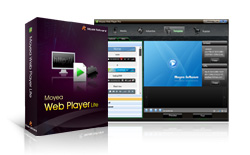
Moyea Web Player Basic is a graphical program for creating flash video player for web site. With it, customizing a flash video player (the above player is the demo of Moyea Web Player Basic) only needs a few mouse-clicks. And it enables even novices of player, who have no coding and flash knowledge, to customize skinning flash video player for website to play flash videos and streaming videos.
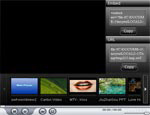
1. Generates a full-screen capable flash video player for web site, empowers you to easily add videos to web site, blog or e-store.
2. On graphical interfaces, every single aspect of web player includes the behavior and the appearance can be customized in your needs without coding, and can be previewed right away after configuring.
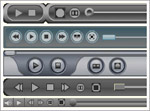
3. Gorgeous player templates are available: There are plenty of control bar templates for you to choose from: Common, Crystal, Gentle, Iron, Plastic, Youtube, etc. So you can select one to make your player more pretty.
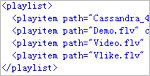
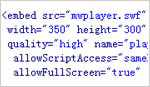
4. Playlist of The generated flash video player can be reedited from both software and xml code.

5. The generated flash video player settings can be reedited from both software and html code.

6. No limitation on adding related video and video description.
As many videos of any length as you like can be added to the playlist, both on local compute and online. And you can specify the caption for each related video
7. Offers various skins of flash video player for choosing to match website style.

8. Automatically detect video file & Offers concise solutions to unsupported format files.
9. Offers a free video to flash video converter to convert video to flash video, enables you to add videos in all pop formats(AVI, MPEG, FLV, WMV, MP4, MOV, 3GP, 3G2, RMVB, RM, etc) to website.
Only: $39.95Dang Cong Thanh Trung.
Powerful SWF to iPod Video Converter!
7:51 PM
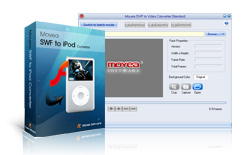
This iPod Video Converter is developed to convert Flash SWF to MP4 video for playback on Apple iPod. Rip SWF to MP3,AAC, M4A, WAV audio files and support batch mode conversion. Its manual mode allows capturing interactive Flash for conversion.
With its user-friendly and graphical interface, Moyea SWF to iPod video Converter offers simple and swift solutions to head-ache problems in converting SWF to iPod videos, such as audio distortion, loss of frames, audio and video asynchronization, meanwhile, its program could process embedded or linked FLV in SWF files. This iPod video converter also allows interaction with Flash content during conversion and there are no frame skips in the generated videos.
Key Features of SWF to iPod Converter
- Convert SWF to iPod MP4 video
- Convert SWF to MP4
- Convert SWF to MP3 and AAC audio
- Support iPod-compatible codec of MPEG4
- Support ActionScript
- Support recording audio and ripping audio in an independent file
- Perfectly convert embedded Flash videos (FLV) or linked Flash videos (FLV)
- Perfectly convert complicated Flash files and completely comply with the rule of WYSIWYG with excellent sound quality and picture quality
- Adopt Lower-Playback-Speed technology to achieve accurate audio and video synchronization and no frame loss
- Adopt audio-extracting technology, instead of recording, to 100% keep the original sound effect
- Support batch-mode conversion
- Enable users to set the beginning and ending time for the created video and effectively control the conversion process
- FREE TRIAL WITH NO TIME LIMIT. NO SPYWARE, NO ADWARE, NO VIRUSES. 100% CLEAN.
Powerful SWF to Apple TV Converter!
7:09 PMSWF to Apple TV Converter Powerful SWF to Apple TV Converter!
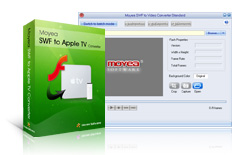
This Apple TV Video Converter is a economical and powerful tool for converting SWF to video for home use as well as sharing with excellent picture quality and sound quality. For it cost less and has perfect performace for converting swf to Apple TV video, swf to iPod mp4 video , and ripping SWF to MP3,AAC, M4A, WAV audio files.
With its user-friendly and graphical interface, Moyea SWF to Apple TV Converter offers simple and swift solutions to head-ache problems in converting SWF to Apple TV video, such as audio distortion, loss of frames, audio and video asynchronization, meanwhile, this program could process embedded or linked FLV in SWF files.
This Apple TV video converter also allows interaction with Flash content during conversion and there are no frame skips in the generated videos. Besides, its Play-and-capture technology allows users to decide the beginning frame and the end frame to capture for conversion to meet their particular needs.
Key Features of SWF to Apple TV Converter
- Convert SWF to Apple TV video
- Convert SWF to iPod mp4 video
- Convert SWF to MP3 and AAC audio
- Support iPod-compatible codec of MPEG4
- Support ActionScript
- Support batch mode conversion
- Support recording audio and ripping audio in an independent file
- Perfectly convert embedded Flash videos (FLV) or linked Flash videos (FLV)
- Perfectly convert complicated Flash files and completely comply with the rule of WYSIWYG with excellent sound quality and picture quality
- Adopt Lower-Playback-Speed technology to achieve accurate audio and video synchronization and no frame loss
- Adopt audio-extracting technology, instead of recording, to 100% keep the original sound effect
- Support batch-mode conversion
- Enable users to set the beginning and ending time for the created video and effectively control conversion process
- FREE TRIAL WITH NO TIME LIMIT. NO SPYWARE, NO ADWARE, NO VIRUSES. 100% CLEAN.
Dang Cong Thanh Trung
Powerful SWF to iPhone Video Converter!
7:04 PMSWF to iPhone Converter Powerful SWF to iPhone Video Converter!
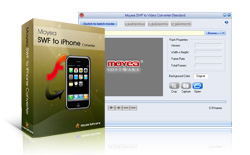
With its user-friendly and graphical interface, Moyea SWF to iPhone Converter offers simple and swift solutions to head-ache problems in converting SWF to iPhone video, such as audio distortion, loss of frames, audio and video asynchronization, meanwhile, this swf converter could process the embedded or linked FLV in SWF files.
This swf video converter also allows interaction with Flash content during the conversion and there are no frame skips in the generated videos. Besides, its Play-and-capture technology allows users to decide the beginning frame and the end frame to capture for conversion to meet their particular needs.
Key Features of SWF to iPhone Converter
- Convert SWF to iPhone video and iPod video(MP4)
- Convert SWF to MP4
- Convert SWF to MP3 and AAC audio
- Support iPhone-compatible codec of MPEG4
- Support ActionScript
- Support batch mode conversion
- Support recording audio and ripping audio in an independent file
- Perfectly convert embedded Flash videos (FLV) or linked Flash videos (FLV)
- Perfectly convert complicated Flash files and completely comply with the rule of WYSIWYG with excellent sound quality and picture quality
- Adopt Lower-Playback-Speed technology to achieve accurate audio and video synchronization and no frame loss
- Adopt audio-extracting technology, instead of recording, to 100% keep the original sound effect
- Support batch-mode conversion
- Enable users to set the beginning and ending time for the created video and effectively control the conversion process
- FREE TRIAL WITH NO TIME LIMIT. NO SPYWARE, NO ADWARE, NO VIRUSES. 100% CLEAN.
Trial Download Links : SWF to iPhone Video Converter!
Dang Cong Thanh Trung.
Moyea SWF to Video Converter Pro
6:56 PMMoyea SWF to Video Converter Prois a handy utility Pro SWF Video Converter that can perfectly convert SWF to Video and Audio format files. With it, you can convert SWF to video or audio from local computer and from internet by adding its URL directly.
- SWF to AVI (XVID Video/DIVX Video), SWF to AVI With Alpha,
- SWF to MPEG, SWF to FLV,
- SWF to MP4 ( iPod Video Movie, iPod Touch Movie, Creative Zen Player Video, PSP Movie, Apple TV Movie, iPhone Video ),
- SWF to WMV (Zune Video, Pocket PC Movie, Xbox 360 Movie),
- SWF to 3GP (3GPP, 3GPP2),
- SWF to DV, SWF to MP3, Flash projectors(*.exe) to video, etc.
- SWF to animated GIF, SWF to image series
With no problem referred to audio distortion, loss of frames, audio and video asynchronization for editing software, DVD/TV and portable devices.
More important, this SWF to Video Converter provides a great solution to animation masters, video designers and individuals to create attractive websites, process further editing in Adobe Premiere and explore the depth of digital world, as this SWF to Video Converter support to convert SWF to AVI video with alpha, generate 32 bits RGBA file, offer manual mode for interactive Flash conversion, etc.
Key Features of SWF to Video Converter Pro
- Realize Alpha Channel of original SWF files in generated video
- Convert SWF to AVI with RGBA alpha channel
- Convert SWF to AVI video
- Convert SWF to FLV
- Convert SWF to MPEG video
- Convert SWF to DVD / VCD / SVCD-compatible MPEG files
- Convert SWF to 3GP video (3GPP/3GPP2)
- Convert SWF to iPod / PSP movie (MP4) and Support iPod / PSP-compatible codecs such as H264, and MPEG4
- Convert SWF to DV video
- Support all compression codecs installed in Windows system, such as 3ivx, DivX, and Xvid, etc
- Support ActionScript
- Support recording audio and ripping audio of MP3 format in an independent file
- Perfectly convert embedded Flash videos (FLV) or linked Flash videos (FLV)
- Support convert online SWF files in any websites by adding its URL directly.
- Enabling users to interact with Flash content during conversion
- Perfectly convert complicated Flash files and completely comply with the rule of WYSIWYG with excellent sound quality and picture quality
- Support animated logo, GIF picture and transparent background as watermark
- Adopt Lower-Playback-Speed technology to achieve accurate audio and video synchronization and no frame loss
- Adopt audio-extracting technology, instead of recording, to 100% keep the original sound effect
- Allow users to resize the frames to generate videos of suitable size to meet their needs
- Let users easily crop an area of a SWF picture to convert or convert the full area of a SWF picture
- Offer "Crop" and "Watermark" functions in batch-mode
- Support batch-mode conversion
- Enable users to set the beginning and ending for the created video and effectively control conversion process
- Support inputting files with multiple types, including .swf and Flash projector .exe.
- FREE TRIAL WITH NO TIME LIMIT
Trial Download Links : Moyea SWF to Video Converter Pro
Batch resize, rotate, stamp, convert your pictures
8:39 PM| Picture Formats Supported | |||||||
| Output Formats | |||||||
| JPG | GIF | BMP | PNG | TIF | PCX | ||
| JPG | |||||||
| GIF | |||||||
| BMP | |||||||
| PNG | |||||||
| TIF | |||||||
| PCX | |||||||
| Key Features: | |
![]() |
|
| 30 Days Money Back Guarantee: | |
![]() | We only want satisfied customers. If Batch Image Resizer doesn't work for you, drop us an email describing your problem and get a full refund. Telling us the exact problem isn't required, but it would help us include. |
Download Trial : Batch Image Resizer
Dang Cong Thanh Trung.